

In this new world of LLMs and their ability to write code, everyone’s a programmer.
No, not really. There’s a lot more behind “crafting” lines of code than the code itself.
But what the technology has enabled is people like me – with a low level understanding of code – to build simple interactive HTML sites, or small browser extensions, for personal use. It’s liberating. It also feels a bit like cheating. But when I need something to fix an annoyance in my life, who am I to stand in the way of progress?
Some Examples
Reading FHIR Json Files

Part of my day job used to involve assurance of systems onboarding to the Electronic Prescription Service. As a clinician, my focus was clinical safety – making sure these systems couldn’t cause harm to patients. But I’m a geek at heart, so I’d also get involved in the “nuts and bolts”, probably treading on the toes of my solutions assurance colleagues, reading JSON file outputs and checking for SNOMED codes, substitution=false, and other structural conformity.
Then, on a call with a supplier, I saw the spark: they’d built a brilliant little app that took those JSON files and produced a human-readable summary of the key data in the message. I wanted a version of that too, and I didn’t want to wait for an internal team to build it for us. So I asked Claude to create something that could summarise in the same way. I gave it the raw JSON and a screengrab of the output I wanted, and its first attempt was a simple HTML page I could host on GitHub. It was brilliant – not perfect, but workable. I could never have built that in a month of hackdays.
I think I’m on version 3 now.
Two extensions, two annoyances

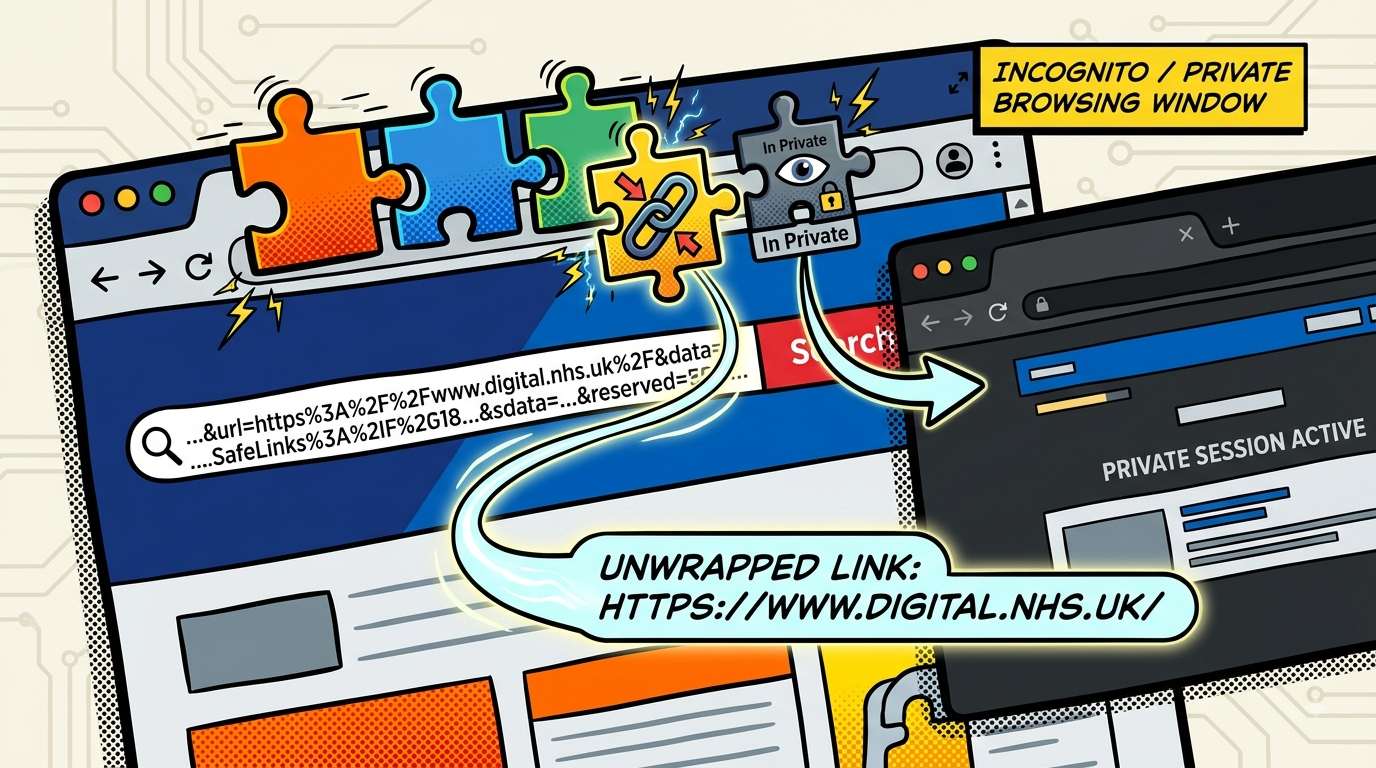
The first annoyance: internal comms wrap every URL in emails in MS SafeLinks. It’s a genuine security feature, protecting the national tenant from suspect links. But sometimes the wrapper doesn’t unwrap properly, and you need the actual link – which is sitting right there in the SafeLink URL, you just have to extract it manually. So I asked Claude to build me an Edge extension that could pull the real URL out of a broken SafeLink when needed, complete with its own icon. It did this with ease, and with developer mode on, I could load it as an unpacked extension. It worked perfectly.
I’m aware of the risk of exposing my system to a rogue URL, and I’m careful with the extractor – cyber security people, please don’t hate me.
The second annoyance: accessing Mural boards. We have to use our old HSCIC credentials rather than our new NHSE ones, and if Edge remembers the wrong login, you’re stuck until you wipe your cached details – unless you’re running separate browser profiles, which felt like overkill. Opening Mural in a private session works, but I wanted the browser to do that automatically whenever it saw a Mural link. I checked the Chrome and Edge add-on stores and couldn’t find anything reliable, so I asked Claude to build one: a list of URLs that spin out to a private session, full window if nothing’s open, new tab if it already is (Claude’s suggestion, not mine). It works brilliantly. Just a small annoyance, solved.
I’ve made a vow to actually look at the code behind these and understand what it’s doing – I might even get Claude to walk me through it, explain it as if I’m new to coding, because I am.
So, is it cheating?

Probably the wrong question. The right one is what you’d build if the barrier to “just try it” disappeared tomorrow.
Mine turned out to be a JSON reader, two browser extensions, and a slightly embarrassing vow to finally understand what’s under the bonnet.
What’s yours?
Leave a Reply